The Partner Portal becomes the energy company's control room for its customer channels
The Partner Portal gathers insight from the app, My Page and the Business Portal, and is where energy companies publish push notifications, banners, benefits and products. It has become an increasingly important tool for marketing, sales and customer service alike.
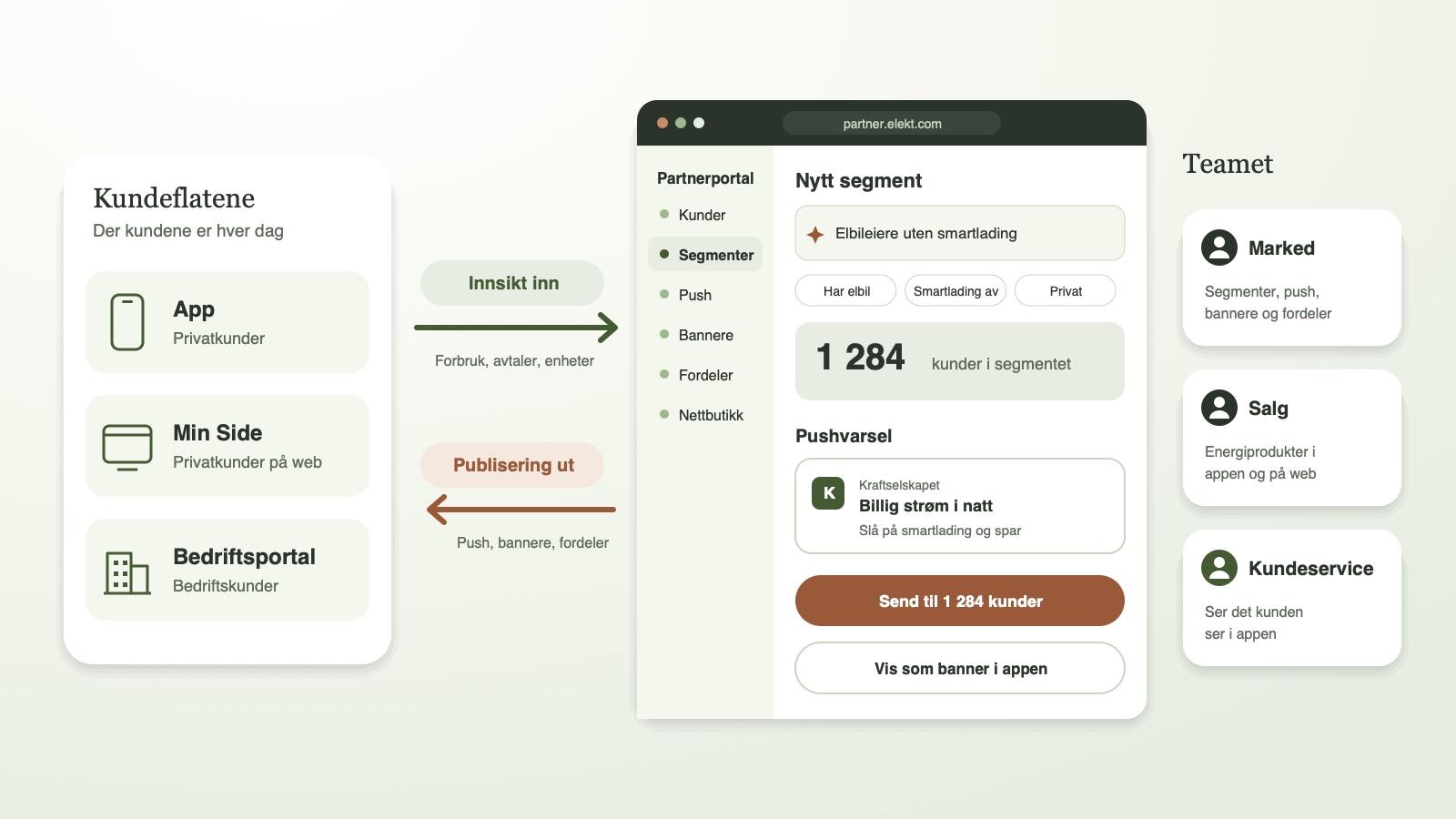
The Partner Portal is the energy company's own tool in the Elekt platform, and it is becoming increasingly important. It works both ways: the portal gathers information from the customer channels, and it is used to publish information back to customers.
Insight from every customer channel
Customers use the app, My Page and the Business Portal every day. Everything they do there is gathered in the Partner Portal: consumption, contracts, devices and activity. This gives the energy company an up-to-date picture of each individual customer, and of its customers as a whole.
One place to publish from
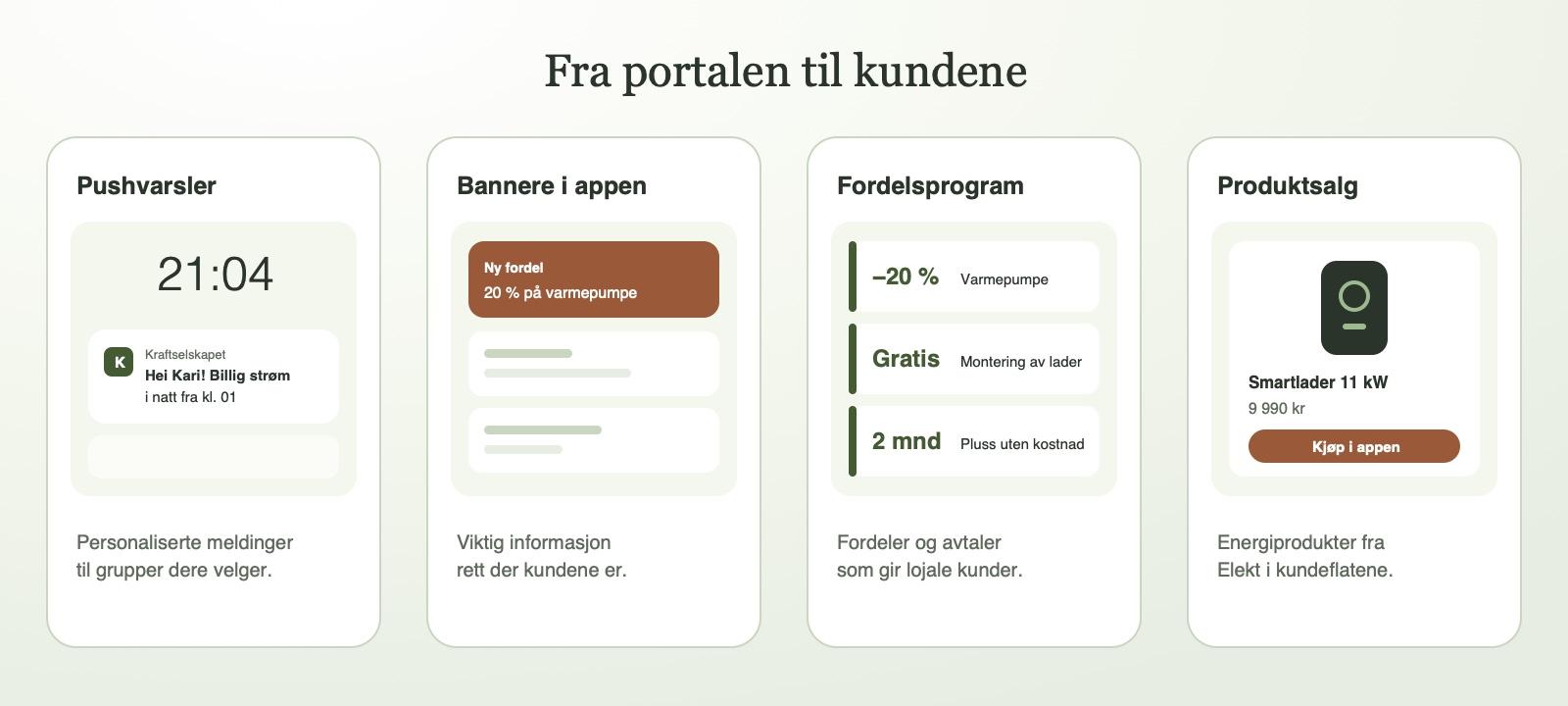
The same insight is used to reach customers with the right message:
- Personalised push notifications to groups the energy company defines itself, such as EV owners who have not turned on smart charging.
- Banners in the app with important information, such as service notices, new benefits or campaigns.
- A benefits programme that the energy company manages itself, with benefits and deals that build customer loyalty.
- Sales of energy-related products from Elekt directly in the customer channels, such as smart chargers and heat pumps.
Customer service sees what the customer sees
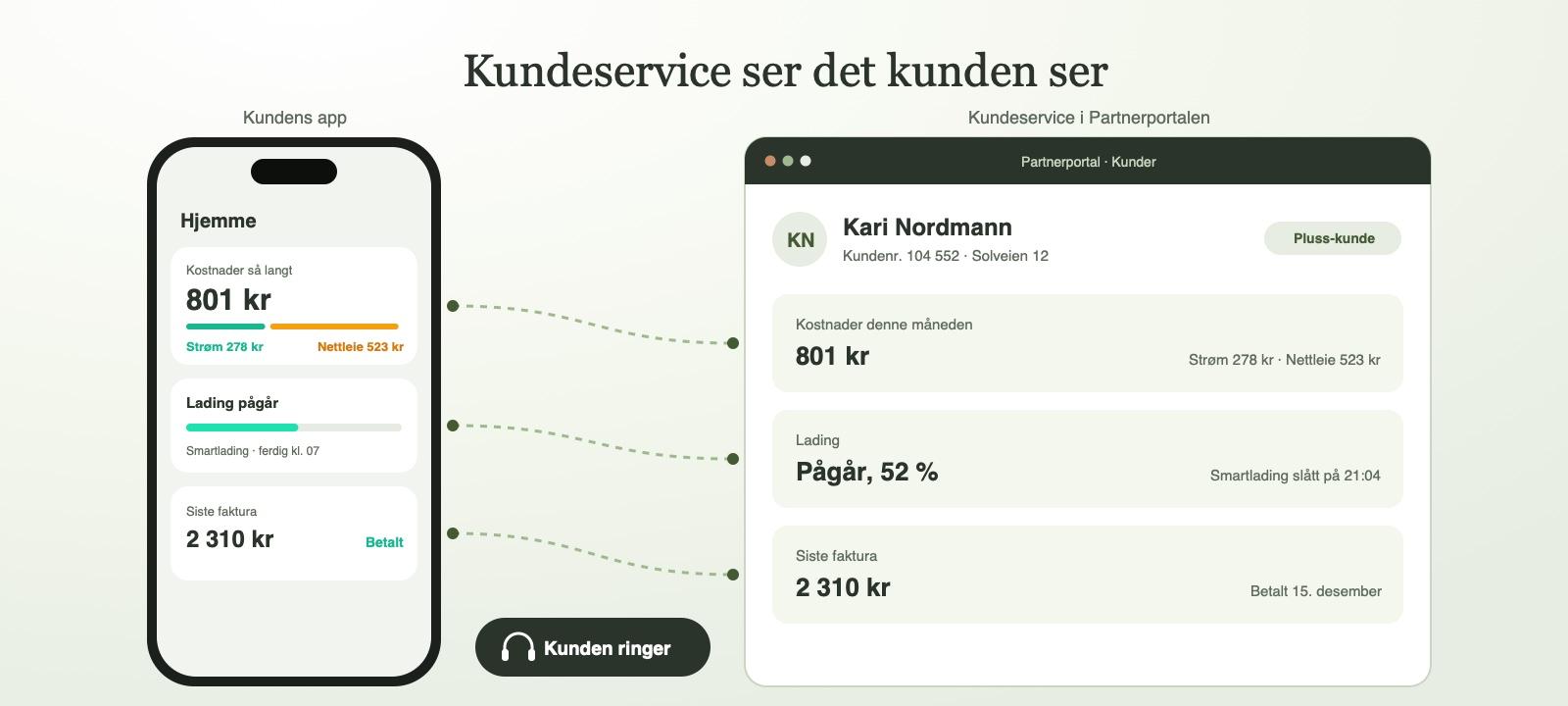
The Partner Portal is also an important tool for customer service. When a customer gets in touch, customer service sees the same information the customer sees in the app: costs, charging, invoices and recent activity. That means they do not have to ask the customer to read numbers off the screen, and can give the right help straight away.
Want to see how the Partner Portal could work for you? Get in touch.